Introduction
Smart lighting can begin with something as simple as replacing one conventional wall switch with a connected dimmer. As more rooms are added, however, a smart lighting system can quickly become more complicated. Multiple switches, dimmers, plug-in controls, remotes, sensors, schedules, and voice assistants all need a way to work together.
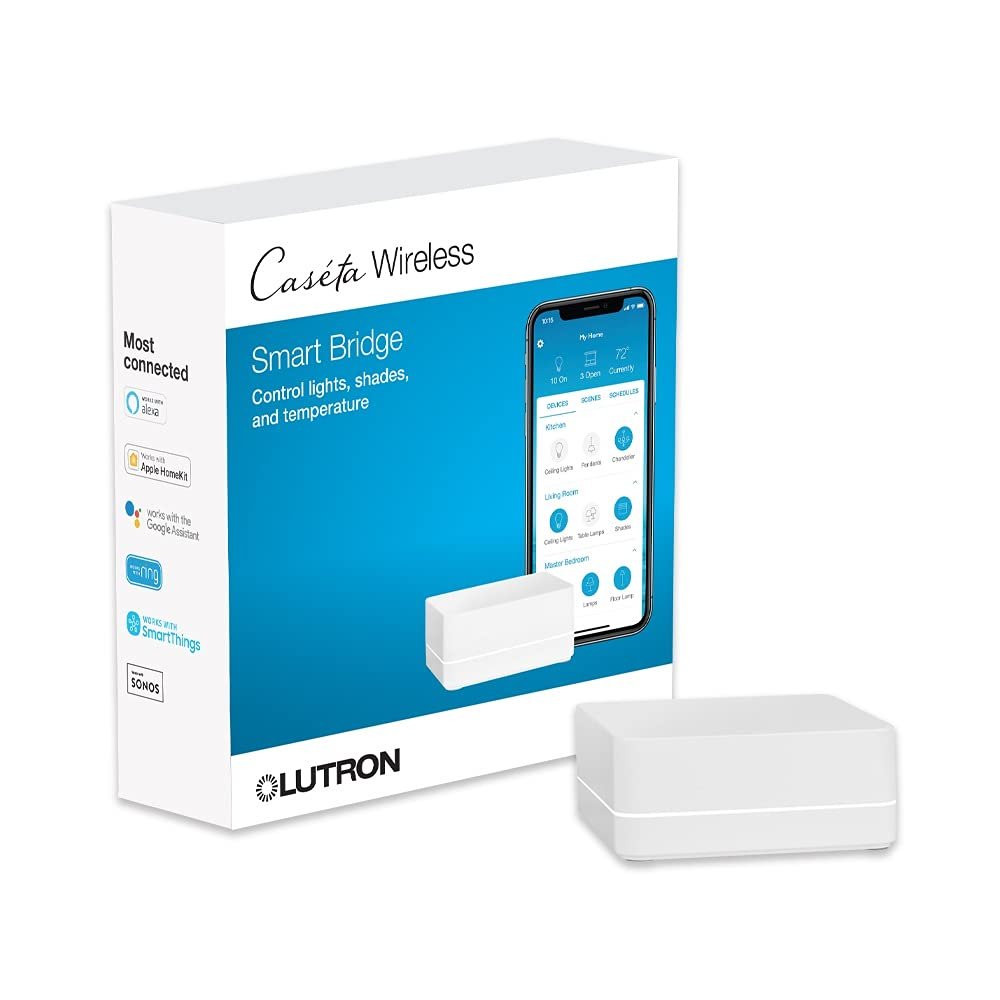
The Lutron Caseta Smart Hub, model L-BDG2-WH, is designed to provide that central connection for compatible Caseta Wireless devices. It is sometimes referred to as the Caseta Smart Bridge, its earlier name. The hub connects to a home’s router through Ethernet and communicates wirelessly with compatible Caseta devices using Lutron’s Clear Connect technology.
The hub is particularly relevant for people who want to connect Caseta lighting controls with platforms such as Amazon Alexa, Apple Home, and Google Home. Lutron also supports additional connected-home integrations, depending on the devices and system being used.
An important point is that the hub is not itself a smart light switch. Instead, it acts as the central communication and management component for a Caseta system. Caseta switches and dimmers can operate directly with compatible Pico remotes without a hub, but adding the hub enables features such as app-based control, scenes, schedules, remote access, and integration with voice assistants and other smart-home platforms.
This distinction makes the Lutron Caseta Smart Hub useful to understand before building or expanding a smart lighting setup. It is less about adding one isolated feature and more about connecting compatible lighting controls into a coordinated system.
This guide explains what the Lutron Caseta Smart Hub does, how it communicates with connected devices, how it works with Alexa, Apple Home, and Google Home, and what users should consider before adding it to an existing or new smart-home installation.
What Is the Lutron Caseta Smart Hub?
The Lutron Caseta Smart Hub is the central controller for compatible Caseta Wireless devices.
Its model number is L-BDG2-WH, and Lutron identifies it as the standard Caseta Smart Hub. It is different from the Caseta Pro Smart Hub, model L-BDGPRO2-WH, which provides additional professional-level integration capabilities.
The standard hub communicates with Caseta devices using Lutron’s Clear Connect wireless technology rather than ordinary home Wi-Fi. The hub itself connects to the home’s router using an Ethernet cable.
This architecture separates the communication between Caseta controls and the home’s general Wi-Fi network.
Compatible Caseta products can include:
- Smart dimmers
- Smart switches
- Fan controls
- Pico wireless remotes
- Sensors
- Plug-in lamp controls
- Compatible shades
- Other supported Caseta accessories
Lutron states that up to 75 Caseta devices, including the Smart Hub, can be added to the Lutron app system.
That capacity makes the hub relevant not only to a single-room installation but also to larger residential lighting systems.
Key Features
Centralized Caseta Device Control
The primary function of the Smart Hub is to bring compatible Caseta devices into one connected system.
Without a hub, a Caseta dimmer can still communicate directly with compatible Pico remotes. The hub becomes necessary when users want capabilities such as control through the Lutron app, scenes, schedules, remote access, and integration with connected smart-home platforms.
This creates a distinction between wireless lighting control and smart-home integration.
A homeowner could install a Caseta dimmer and operate it from the wall or a Pico remote without creating an internet-connected smart-home system. Adding the Smart Hub expands the system by introducing software-based control and integration.
Ethernet Connection to the Router
One of the important characteristics of the Lutron Caseta Smart Hub is that it does not connect to the router through Wi-Fi.
Instead, the hub connects directly to the home router using the supplied Ethernet cable. Lutron specifically states that the hub must be connected to the router through Ethernet.
This is worth considering when choosing where to install the device.
The hub generally needs to be positioned somewhere that provides:
- Access to a power outlet
- Access to the router or network equipment
- A suitable location for wireless communication with Caseta devices
A network switch can also be useful when the router itself has limited Ethernet ports, provided the network is configured appropriately.
Clear Connect Wireless Communication
Caseta devices communicate with the Smart Hub through Lutron’s Clear Connect wireless technology rather than using the home’s Wi-Fi network for device-to-device communication.
This architecture has an important practical implication.
Adding multiple Caseta dimmers and switches does not mean every lighting control has to compete directly for Wi-Fi bandwidth in the same way as a collection of Wi-Fi smart bulbs.
The Caseta system has its own wireless communication method for supported controls.
Lutron also explains that Caseta devices can continue operating locally when Wi-Fi or internet connectivity is unavailable because the Caseta devices themselves do not rely on Wi-Fi for their normal wireless communication.
However, this should not be interpreted as meaning every remote or cloud-related function will continue without internet access. Features that depend on internet connectivity, remote access, or third-party services can have different requirements.
Amazon Alexa Integration
The Caseta Smart Hub can connect Caseta devices to Amazon Alexa.
Once the appropriate integration is configured, compatible lighting controls can be operated through Alexa voice commands. Lutron provides specific instructions for connecting a Caseta system with a Smart Hub to Alexa.
This can make ordinary lighting actions part of a voice-controlled smart-home environment.
For example, users can create a setup in which different lights are grouped according to rooms or functions and then controlled through compatible Alexa commands.
Voice control can be useful when:
- Hands are occupied
- A wall switch is inconvenient to reach
- Multiple lights need to be controlled together
- Users want to activate a predefined lighting scene
- Lighting is part of a broader smart-home routine
The actual commands and available functionality depend on the Alexa configuration and the connected Caseta devices.
Apple Home Integration
The Lutron Caseta Smart Hub also supports Apple Home integration.
Lutron’s documentation identifies the L-BDG2 and L-BDGPRO2 Smart Hubs as compatible with Apple HomeKit and explains that supported Caseta devices can be controlled through Apple’s ecosystem, including Siri voice control.
This allows compatible Caseta lighting controls to become part of an Apple Home setup.
For an Apple-focused household, this can be useful because lighting can be managed alongside other compatible smart-home accessories within the same environment.
Apple Home integration also makes it possible to use Siri for supported control tasks.
As with other integrations, the hub itself is not necessarily presented as a controllable lighting device in Apple Home. Lutron notes that supported load controllers such as dimmers, switches, fan controls, smart plugs, and certain hybrid keypads appear in Apple Home, while the Smart Hub itself does not operate as a controllable load device.
Google Home Integration
Google Home is another supported ecosystem.
Lutron states that Caseta can integrate with Google Home so that compatible lighting can be controlled through a smartphone or Google Assistant voice control.
This can be especially useful in households that already organize smart-home devices through Google Home.
For example, users can create room-based arrangements and use voice commands to control compatible Caseta lights without needing to open the Lutron app each time.
Lutron App Control
The Lutron app provides the main software interface for the Caseta system.
With the Smart Hub installed, users can control compatible Caseta devices from the app and configure features such as scenes and schedules. Lutron states that the app can be used whether the smartphone is connected to the home network or when the user is away with an internet-connected device.
This creates several different control methods:
- Physical wall controls
- Pico remotes
- Lutron app
- Amazon Alexa
- Apple Home and Siri
- Google Home and Google Assistant
- Other supported integrations
Having multiple control options can be useful because different situations call for different methods.
Scenes
Scenes allow multiple lighting devices to respond to one command or programmed action.
Instead of adjusting each light individually, a scene can coordinate several compatible controls.
For example, a homeowner might create a “Evening” scene that adjusts several rooms at once.
Other examples could include:
- Morning lighting
- Dinner lighting
- Movie lighting
- Nighttime lighting
- Away lighting
- Entering-home lighting
The exact behavior depends on the Caseta devices included in the system and how the scene is configured.
Scheduling
The Smart Hub also enables time-based scheduling through the Lutron system.
Schedules can be useful for repetitive lighting routines.
A household could configure lights to turn on at a particular time in the morning and turn off later in the day. Exterior lighting can also be coordinated around regular schedules.
Lutron describes scheduling as one of the features unlocked by adding the Smart Hub to a Caseta system.
Scheduling can reduce the need for repeated manual adjustments while still allowing physical controls to be used when necessary.
Geofencing
Another feature available through the Lutron app is geofencing.
Lutron describes Arriving Home and Leaving Home scenes that can respond to a smartphone’s location.
For example, an arriving-home scene could activate selected lights when the user returns to a defined area.
A leaving-home scene could turn selected lights off.
Location-based automation should be configured carefully because it depends on smartphone location permissions and the relevant software settings.
Smart Away
Lutron also describes a feature called Smart Away, which can randomly turn lights on and off during selected periods to create the appearance of normal household activity when occupants are away.
This is different from a fixed schedule.
A fixed schedule repeats predictable actions, while Smart Away is intended to vary lighting activity.
The feature is primarily about automation and occupancy appearance rather than serving as a replacement for a complete security system.
Compatibility With Sensors
The Caseta ecosystem includes wireless sensors, allowing lighting behavior to respond to conditions such as occupancy or vacancy.
This can help automate lighting in areas where manually operating a switch is inconvenient.
For example, compatible sensors can be useful in:
- Hallways
- Utility areas
- Bathrooms
- Garages
- Storage areas
- Home offices
Sensor-based automation can also help reduce unnecessary lighting in spaces that are frequently left unoccupied.
Pico Remote Compatibility
Pico remotes are an important part of the Caseta ecosystem.
One advantage of the Caseta architecture is that Pico remotes can communicate directly with compatible Caseta devices without requiring the Smart Hub or Wi-Fi for basic operation.
This gives users a physical control option even when the smart-home portion of the system is not being used.
Pico remotes can also provide additional control locations without requiring traditional electrical wiring in the same way as another in-wall switch installation.
How It Can Be Used
Creating a Whole-Home Lighting System
One of the most straightforward applications is coordinating lighting throughout a house.
A system might contain Caseta dimmers in:
- Living room
- Kitchen
- Bedroom
- Hallway
- Dining area
- Home office
- Exterior lighting locations
Once connected through the Smart Hub, these devices can be organized within the Lutron app and incorporated into scenes or schedules.
The result is not necessarily about automating every light. Instead, the hub provides a centralized framework in which users can choose which parts of the lighting system should be automated.
Combining Wall Controls With Voice Commands
Smart lighting does not have to replace physical switches.
A Caseta system can combine conventional wall-based interaction with voice control.
For example, someone can turn a light on using the wall control when entering a room, then later use Alexa, Siri, or Google Assistant to adjust another light from across the room.
This combination is useful because smart-home technology remains accessible to people who may not want to rely entirely on smartphones or voice commands.
Creating Movie or Entertainment Scenes
A home entertainment area can benefit from coordinated lighting.
A scene could reduce selected lights while leaving enough illumination in other areas for movement.
When the activity ends, another scene can restore normal lighting.
The same concept can be applied to dining, reading, working, or relaxing.
Automating Morning and Evening Routines
Schedules can make repetitive lighting actions more consistent.
For example, morning lighting can be configured to activate at a particular time, while evening lighting can follow another schedule.
Users can also combine scheduled events with manual control, allowing them to override the automated behavior when circumstances change.
Connecting Caseta to a Larger Smart Home
The Smart Hub becomes particularly useful when lighting is only one component of a larger smart-home system.
A household might have:
- Caseta lighting
- Alexa speakers
- Apple devices
- Google Home products
- Smart thermostats
- Connected shades
- Smart plugs
- Other compatible devices
Integrating the lighting system into a broader platform can reduce the need to manage every category separately.
The exact level of integration depends on the third-party platform and the specific devices involved.
Who It May Be Suitable For
Homeowners Building Around Caseta
The Smart Hub is particularly relevant to homeowners who already have multiple Caseta controls or plan to install several.
If the goal is simply to control one Caseta dimmer from a Pico remote, the hub is not necessarily required. Lutron explicitly states that Caseta dimmers and switches can communicate directly with Pico remotes.
The hub becomes more useful when centralized app control, scheduling, scenes, remote access, or third-party integration is desired.
Alexa Users
Households already using Amazon Alexa may find the Caseta integration useful for bringing compatible lighting controls into voice-based routines.
Instead of treating the lighting system as a separate product category, users can incorporate it into their existing Alexa environment.
Apple Home Users
Apple Home users can integrate supported Caseta controls into their smart-home environment through the Lutron Smart Hub. Siri can then provide voice control for supported devices.
Google Home Users
Similarly, users who organize their smart-home devices through Google Home can integrate compatible Caseta controls into that environment.
Users Who Want Physical and Digital Control
Some smart-home systems place considerable emphasis on smartphone control.
Caseta can provide a combination of physical switches, Pico remotes, app control, scenes, schedules, and voice assistants.
That makes the system relevant to households where different family members prefer different control methods.
Important Things to Consider
The Hub Is Not Required for Basic Caseta Switching
This is one of the most important distinctions.
Caseta devices can operate locally with compatible Pico remotes without a Smart Hub. The hub is required for additional capabilities such as app control, scenes, schedules, and smart-home integrations.
Therefore, whether a hub is necessary depends on how the system will be used.
Ethernet Is Required for the Hub
The Smart Hub itself does not connect to the home network through Wi-Fi.
It needs a wired Ethernet connection to the router.
This should be considered before choosing its installation location.
If the router is located in another room, users may need to plan an Ethernet connection or network switch.
Standard Smart Hub vs Pro Smart Hub
The L-BDG2-WH is the standard Caseta Smart Hub.
Lutron also sells a Caseta Pro Smart Hub, L-BDGPRO2-WH.
Although the two products look similar, Lutron notes that certain professional-level audio/video, whole-home, and security integrations require the Pro model.
For a normal residential Caseta system using the Lutron app and major consumer smart-home platforms, the standard hub may provide the relevant capabilities. However, anyone planning advanced third-party integration should verify compatibility with the specific integration provider before choosing between the two.
Third-Party Integration Can Change
Smart-home platforms evolve over time.
Voice assistants, mobile operating systems, APIs, and manufacturer integrations can change their requirements.
Therefore, compatibility should be checked against current documentation rather than relying exclusively on older product descriptions or forum discussions.
Wi-Fi and Internet Are Different From Caseta Communication
The Caseta devices communicate with the hub through Clear Connect wireless technology, not through ordinary Wi-Fi.
The hub itself connects to the router through Ethernet.
This means there are several separate communication layers:
- Caseta devices communicate wirelessly with the hub.
- The hub communicates with the home network through Ethernet.
- Internet-based services can provide remote access and third-party integration.
Understanding those layers helps explain why local lighting operation can remain available even when internet access is interrupted, while remote control may not be available under the same circumstances.
Wireless Range Still Matters
Although Caseta uses its own wireless protocol, physical placement remains important.
Large homes, thick walls, multiple floors, and certain building materials can affect wireless communication.
Lutron provides additional range-extension options within the Caseta ecosystem, including compatible repeaters.
For larger installations, wireless coverage should be considered during system planning rather than after all devices have been installed.
Comparison of General Smart-Home Categories
Dedicated Lighting Hub vs General Smart-Home Hub
A dedicated lighting platform focuses heavily on lighting controls, switches, dimmers, shades, sensors, and related automation.
A general-purpose smart-home hub may support a broader range of device protocols and manufacturers.
The dedicated approach can provide a more focused environment for lighting, while a general-purpose hub may be useful for households that want to combine many different device technologies.
The appropriate category depends on the home’s existing devices and the type of automation being planned.
Smart Hub vs Wi-Fi Smart Switch System
Wi-Fi smart switches communicate directly through the home’s Wi-Fi network.
Caseta uses Clear Connect for communication between compatible Caseta controls and the Smart Hub.
A Wi-Fi approach may be convenient for users who want individual devices to connect directly to the network.
A centralized Caseta architecture instead separates lighting-device communication from the home’s normal Wi-Fi traffic.
This can also provide a consistent control architecture when many Caseta devices are installed.
Hub-Based Lighting vs Bluetooth Lighting
Bluetooth lighting can work well for smaller installations or direct device control.
A hub-based system is generally more suitable when users want centralized management, scheduled events, remote access, scenes, and integration with other smart-home platforms.
Again, neither approach is universally appropriate. The choice depends on the size and complexity of the installation.
Standard Smart Hub vs Pro Smart Hub
The standard L-BDG2-WH and Pro L-BDGPRO2-WH both provide central control for Caseta systems.
The major distinction is in third-party integration capabilities.
Lutron identifies certain audio/video, whole-home, and security integrations as requiring the Pro model.
For users who only need standard consumer integrations and Caseta control, the standard hub represents a different level of functionality from the Pro model.
Planning a Caseta Smart Lighting System
A good smart-lighting installation starts with planning rather than buying individual components one at a time.
First, identify which lights should become smart.
Then consider how each light will be controlled.
For example:
- Wall switch
- Dimmer
- Pico remote
- Motion sensor
- Smartphone
- Voice assistant
- Scheduled scene
Next, determine which rooms should share scenes.
A living room, kitchen, and dining area may each have separate controls but could also participate in a coordinated evening scene.
It is also useful to think about manual control.
Smart-home automation should not make basic lighting unnecessarily complicated. Physical controls remain valuable because anyone entering the room can use them without needing an app or voice assistant.
The Caseta system’s combination of physical and digital control allows these methods to coexist.
Setting Up the Smart Hub
The basic setup process involves connecting the Smart Hub to the home’s router through Ethernet and using the Lutron app to configure the system. Lutron provides dedicated setup and troubleshooting documentation for the Smart Hub.
A general installation process involves:
- Positioning the hub near the network equipment.
- Connecting the included power supply.
- Connecting the hub to the router with Ethernet.
- Opening the Lutron app.
- Activating and configuring the Smart Hub.
- Adding compatible Caseta devices.
- Creating rooms and organizing devices.
- Creating scenes or schedules if needed.
- Connecting supported third-party platforms.
- Testing both local and remote control.
The exact setup screens can change as the Lutron app is updated, so current manufacturer instructions should be followed during installation.
Using the Hub During an Internet Outage
One of the important characteristics of the Caseta architecture is that the lighting controls do not rely on Wi-Fi or internet connectivity for their basic local wireless communication.
Lutron explains that Caseta devices communicate through Clear Connect and can continue operating within the home even when Wi-Fi or internet service is unavailable.
This distinction is useful.
If the internet goes down, a homeowner may still be able to operate Caseta lighting through compatible local controls.
However, functions that depend on external internet services may be unavailable until connectivity is restored.
For example, remote control from outside the home generally depends on an internet connection.
Privacy and Account Considerations
Smart lighting can involve account-based services, smartphone applications, voice assistants, and third-party integrations.
Users should therefore consider which services have access to their smart-home environment.
Good practices include:
- Using a strong account password
- Keeping the Lutron app updated
- Keeping compatible voice assistant accounts secure
- Reviewing connected integrations
- Removing integrations that are no longer needed
- Limiting access to trusted household members
Voice assistants can also introduce their own privacy considerations because commands are processed through the relevant platform.
Understanding which company provides each service can help users make informed decisions about how their smart-home data is handled.
Frequently Asked Questions
What does the Lutron Caseta Smart Hub do?
The Lutron Caseta Smart Hub acts as the central controller for compatible Caseta Wireless devices. It enables app-based control, scenes, schedules, remote access, and integration with platforms such as Amazon Alexa, Apple Home, and Google Home.
Is the Lutron Caseta Smart Hub the same as the Smart Bridge?
Yes. Lutron previously called the product the Caseta Smart Bridge. The current terminology is Caseta Smart Hub. The L-BDG2-WH is the standard Smart Hub model.
Does Caseta work with Alexa?
Yes. A Caseta system using the Smart Hub can integrate with Amazon Alexa for supported voice-control functions.
Does the Caseta Smart Hub work with Apple Home?
Yes. Lutron documents Apple HomeKit support for Caseta systems using either the L-BDG2 or L-BDGPRO2 Smart Hub.
Does it work with Google Home?
Yes. Lutron states that Caseta integrates with Google Home and Google Assistant for compatible control functions.
Does the hub connect through Wi-Fi?
No. The Smart Hub connects to the home router using Ethernet. Caseta devices communicate with the hub through Lutron’s Clear Connect wireless technology.
Do Caseta switches need the hub to work?
Not for basic operation with compatible Pico remotes. Caseta switches and dimmers can communicate directly with Pico remotes without a Smart Hub. The hub is needed for functions such as app control, scenes, schedules, remote access, and smart-home integration.
How many Caseta devices can the Smart Hub support?
Lutron states that up to 75 Caseta devices, including the Smart Hub, can be added to the Lutron app system.
Can I control Caseta lights when I am away from home?
The Smart Hub and Lutron app support remote control when the smartphone has an active internet connection.
Can Caseta lights work if the internet goes down?
Basic Caseta device communication does not depend on Wi-Fi or internet access. Lutron states that Caseta devices can continue operating locally through Clear Connect when Wi-Fi or internet service is unavailable. Internet-dependent features such as remote access can still be affected.
What is the difference between L-BDG2-WH and L-BDGPRO2-WH?
The L-BDG2-WH is the standard Caseta Smart Hub, while the L-BDGPRO2-WH is the Pro version. Lutron states that certain professional audio/video, whole-home, and security integrations require the Pro model.
Can the Caseta Smart Hub control shades?
The Caseta Smart Hub can be used with supported Lutron wireless shades and compatible Caseta products through the Lutron system.
Can I use Pico remotes without the Smart Hub?
Yes. Compatible Pico remotes can communicate directly with Caseta dimmers and switches without requiring a hub or Wi-Fi.
Does the Smart Hub replace a router?
No. The Smart Hub connects to an existing home router. It is a smart-lighting controller, not a network router.
Is the Caseta Smart Hub suitable for a large house?
It can be part of a larger Caseta installation, but wireless coverage and system layout should be considered. Lutron provides additional range-extension options for situations where devices are too far from the hub.
Can I use Caseta with multiple smart-home platforms?
Caseta supports integrations with major platforms including Amazon Alexa, Apple Home, and Google Home, along with additional connected-home solutions. The exact functionality depends on the integration and connected devices.
Conclusion
The Lutron Caseta Smart Hub L-BDG2-WH serves as the central connection point for a Caseta smart-lighting system. Rather than being a smart switch itself, it connects compatible Caseta controls to the Lutron app and provides access to features such as scenes, schedules, remote control, geofencing, and third-party smart-home integrations.
Its communication architecture is also worth understanding. Caseta devices communicate with the hub using Lutron’s Clear Connect wireless technology, while the hub connects to the home’s router through Ethernet. This allows the lighting system’s basic local wireless operation to remain separate from ordinary Wi-Fi communication.
For households using Amazon Alexa, Apple Home, or Google Home, the hub can provide a way to bring compatible Caseta lighting controls into those broader smart-home environments. Physical switches and Pico remotes can still remain part of the system, giving users several ways to control their lights.
The hub also becomes more useful as a Caseta installation grows. Multiple switches, dimmers, sensors, remotes, and scenes can be organized within one system rather than treated as completely independent devices.
At the same time, buyers should pay attention to the distinction between the standard L-BDG2-WH and the Caseta Pro Smart Hub. Certain professional-level integrations require the Pro model, according to Lutron’s documentation.
Ultimately, the usefulness of a smart hub depends on the type of lighting system being built. Someone who only needs a Caseta dimmer and Pico remote may not need a hub, while a household looking for app control, schedules, scenes, remote access, and integration with a broader smart-home platform may have a different set of requirements.
Leave a Reply