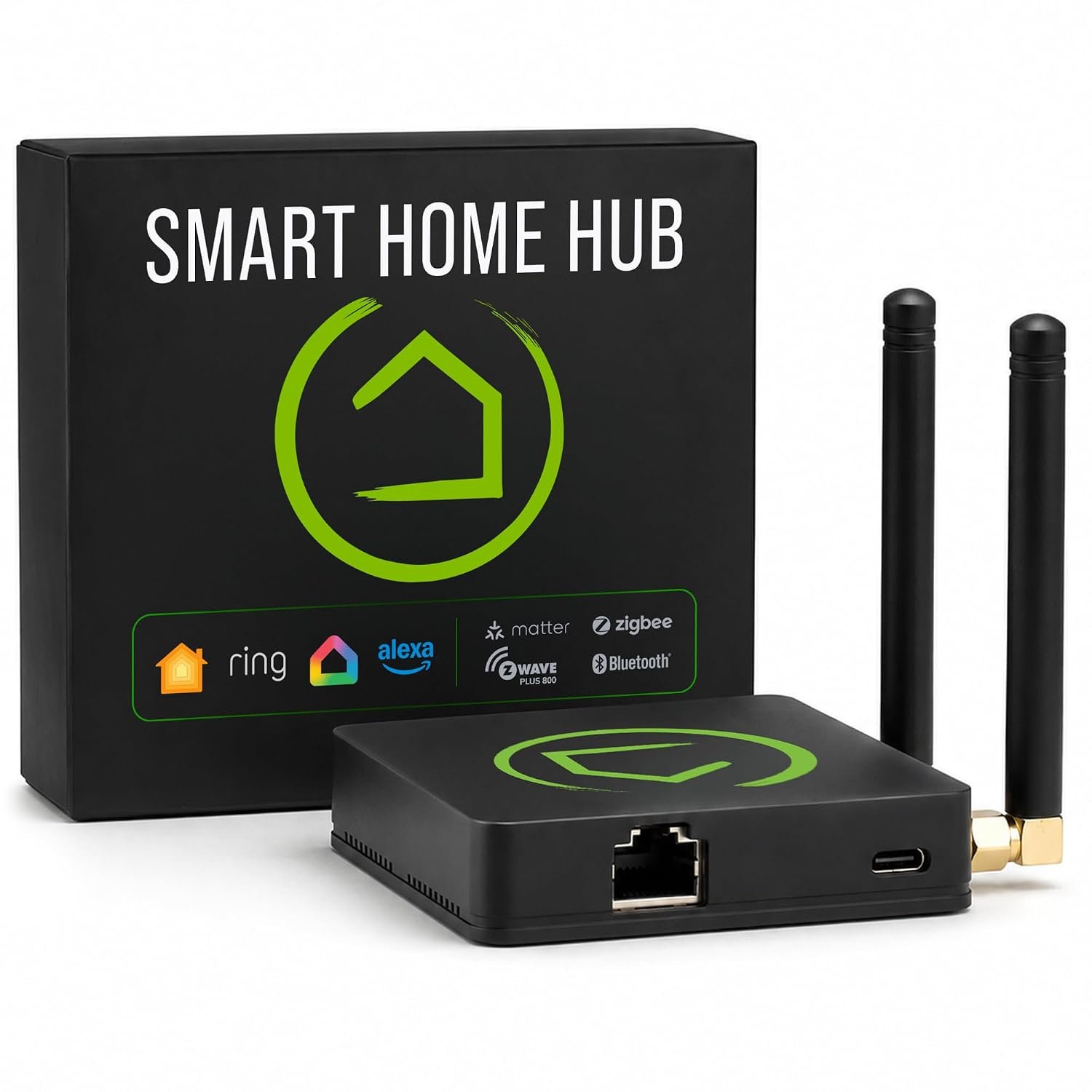
Smart home devices have become increasingly diverse. A modern home may contain smart lights from one manufacturer, motion sensors from another, smart locks using Z-Wave, plugs using Zigbee, thermostats connected over a local network, and newer products based on Matter. Managing these devices can become complicated when every manufacturer expects users to rely on a separate application or cloud service.
A dedicated smart home hub can provide another approach.
The Hubitat Elevation C-8 Pro Smart Home Hub is designed as a central platform for connecting and automating compatible smart home devices. Rather than focusing on one manufacturer’s ecosystem, the C-8 Pro supports multiple communication technologies, including Z-Wave, Zigbee, Matter, Wi-Fi, Ethernet, Bluetooth, and LAN-connected devices, depending on the specific integration. Hubitat currently states that the C-8 Pro works with more than 1,000 compatible devices across more than 100 brands.
One of the defining characteristics of the platform is local automation processing. Hubitat states that automations can run on the hub rather than depending entirely on cloud processing. This approach can be useful for households that want automation routines to continue operating locally even when the internet connection is unavailable.
The C-8 Pro also provides more processing resources than the standard C-8. Hubitat identifies a 2.0 GHz processor and 2GB of RAM for the C-8 Pro, compared with 1.4 GHz and 1GB on the standard C-8.
This additional processing capacity becomes more relevant as a smart home grows more sophisticated. A few automated lights require relatively little coordination, while a larger installation can involve dozens of sensors, switches, locks, thermostats, scenes, schedules, and conditional rules.
This guide explains what the Hubitat Elevation C-8 Pro does, how its different smart home protocols fit together, how local automation works, what types of households may find it useful, and what should be considered before building a smart home around a multi-protocol hub.
What Is the Hubitat Elevation C-8 Pro?
The Hubitat Elevation C-8 Pro is a dedicated home automation controller.
Instead of asking each smart device to operate independently through its own application, the hub provides a central environment where compatible devices can be connected, organized, and used together in automations.
For example, a motion sensor could trigger a light, a door sensor could influence a security routine, or a temperature sensor could contribute to a thermostat automation.
The important distinction is that the hub does not replace the individual smart devices.
A smart switch remains a switch. A motion sensor remains a sensor. A smart lock remains a lock.
The hub provides the logic that allows those devices to work together.
Hubitat’s platform includes built-in automation tools such as Basic Rules, Rule Machine, Room Lighting, Thermostat Scheduler, Mode Manager, Groups, and Scenes.
This makes the C-8 Pro particularly relevant to users who want to create rules based on combinations of events rather than simply controlling devices manually.
Key Features of the Hubitat Elevation C-8 Pro
Local Automation Processing
Local processing is one of the central concepts behind Hubitat Elevation.
With a cloud-dependent system, a command may need to travel from the home to an external server and then return to the home before the device responds.
Hubitat’s architecture is designed to process compatible automations locally on the hub. The company states that device data and automation processing remain local, allowing compatible automations to continue operating even when the internet connection is unavailable.
This can be useful for several reasons.
First, local processing can reduce dependence on an external service for routine automation.
Second, it can reduce the number of situations in which an internet outage affects basic home automation.
Third, keeping device data locally can be relevant to people who place a high value on data privacy.
Local processing does not mean that every smart home function is automatically independent of the internet. Cloud-connected integrations and remote services can still depend on external connectivity.
That distinction is important when planning a system.
2.0 GHz Processor
The C-8 Pro uses a faster processor than the standard C-8.
Hubitat lists the C-8 Pro with a 2.0 GHz processor and 2GB of RAM.
The extra processing resources can become useful as the number and complexity of automations increase.
A simple rule such as “turn on a light when motion is detected” requires little computational complexity.
A more elaborate system could involve multiple sensors, time restrictions, modes, device states, conditions, notifications, and chained actions.
The C-8 Pro’s hardware is designed to provide additional capacity for this type of environment.
2GB of RAM
The C-8 Pro includes 2GB of RAM, which Hubitat identifies as twice the memory of the standard C-8.
For an individual homeowner, RAM specifications are not necessarily meaningful by themselves.
Their practical relevance becomes clearer when considering the hub as the central controller for a larger automation installation.
More memory can provide additional headroom for applications, drivers, integrations, and automation logic.
It should not, however, be interpreted as a guarantee that every possible third-party integration will operate identically.
Compatibility remains dependent on the device, driver, integration method, and software version.
Built-In Zigbee 3.0
Zigbee is one of the wireless protocols supported by the C-8 Pro.
The hub includes a Zigbee 3.0 radio in the standard C-8 Pro configuration.
Zigbee is commonly used for smart lighting, sensors, switches, buttons, plugs, and other relatively low-power devices.
One of the useful characteristics of Zigbee is its mesh-network architecture.
Depending on the device and implementation, powered Zigbee devices can help extend the network by relaying signals.
This means the quality of a Zigbee installation is not determined solely by the distance between the hub and the furthest sensor.
Device placement matters.
A home with several strategically placed powered Zigbee devices may have a different communication environment from a home where the hub is isolated from every other device.
Zigbee and Battery-Powered Sensors
Zigbee is particularly common among battery-powered sensors.
Door sensors, motion sensors, temperature sensors, and similar devices can use low-power wireless communication while remaining relatively small.
Battery-powered devices generally have different networking behavior from mains-powered devices, so users should consider the complete mesh rather than expecting every device to act as a repeater.
Built-In Z-Wave 800 Series
The C-8 Pro also includes an 800-series Z-Wave radio and support for Z-Wave Long Range.
Z-Wave is another wireless smart home protocol, but it operates in a different radio range from Wi-Fi, Zigbee, and Bluetooth.
Hubitat’s documentation describes Z-Wave as a sub-GHz wireless technology designed for residential and light-commercial IoT applications. The platform supports Z-Wave S2 security, including 128-bit AES secure encryption for security-enabled Z-Wave devices.
Z-Wave’s sub-GHz operation can be useful because it does not share the same 2.4 GHz spectrum used by Wi-Fi, Zigbee, Bluetooth, and many other household wireless devices.
Z-Wave Mesh Networking
Traditional Z-Wave networks can use mains-powered devices as repeaters.
For example, a powered smart switch can help extend communication to another device farther away.
Battery-powered Z-Wave devices generally function as end devices rather than repeaters, helping preserve battery life. Hubitat’s documentation explains this distinction in its Z-Wave documentation.
As with Zigbee, network planning remains important.
Adding devices does not automatically guarantee perfect communication. Building materials, placement, radio interference, device orientation, and the physical structure of the home can all affect wireless performance.
Z-Wave Long Range
The C-8 Pro supports Z-Wave Long Range, often abbreviated as Z-Wave LR.
Z-Wave LR is intended to extend wireless communication beyond the traditional range of standard Z-Wave networking.
This can be relevant to larger homes, detached areas, or installations where some devices are located farther from the main hub.
Actual range is still influenced by the environment and the specific device.
Marketing specifications should not be interpreted as a guarantee that every Z-Wave LR device will communicate successfully across a particular property.
Matter Support
Matter has become an important part of the smart home ecosystem because it is designed as a cross-platform smart home standard.
Hubitat added Matter support to its platform in 2024 and continues to support Matter on current hardware. The company’s current C-8 Pro product information identifies Matter controller support, while current product pages state support for Matter 1.5.
Matter is intended to make smart home devices more interoperable across participating ecosystems.
That does not mean that every Matter device automatically exposes every possible feature through every controller.
Device capabilities, Matter device type, software versions, and the particular integration all matter.
For a user building a new smart home, however, Matter support provides another protocol option alongside established technologies such as Zigbee and Z-Wave.
Wi-Fi and Ethernet Connectivity
The C-8 Pro includes built-in Wi-Fi and Ethernet connectivity.
Ethernet can be useful when the hub is installed in a central networking location or near a router.
A wired connection can also simplify network planning because the hub does not need to rely on Wi-Fi for its connection to the local network.
Wi-Fi provides another connectivity option when running an Ethernet cable is inconvenient.
The best choice depends on the physical layout of the home and the network infrastructure.
External Antennas
The C-8 Pro uses external antennas for its Zigbee and Z-Wave radios.
Hubitat states that the external antennas are designed to improve wireless range and communication reliability.
Antenna placement can matter in real-world installations.
The hub should not be buried behind dense objects or placed inside a metal enclosure unless the manufacturer specifically supports that arrangement.
For a multi-protocol hub, physical placement can influence the quality of multiple wireless networks simultaneously.
How the Hub Can Be Used
Automated Lighting
Lighting is one of the simplest ways to understand home automation.
A motion sensor can trigger a hallway light.
A door sensor can activate an entry light.
A schedule can turn outdoor lighting on at a particular time.
A combination of time and motion can provide more sophisticated behavior.
For example, a light could respond differently depending on whether it is daytime, evening, or late at night.
Hubitat’s built-in Room Lighting application is designed for lighting automation, while Rule Machine provides more detailed conditional logic.
Motion-Based Automation
Motion sensors can be combined with other conditions to avoid unnecessary actions.
A simple automation could turn on a light when motion is detected.
A more advanced rule might consider the time of day, the current mode, whether the light is already on, and whether someone is present.
This is where a central automation platform becomes more useful than isolated device apps.
Door and Window Sensors
Door and window sensors can act as triggers for many types of routines.
A door opening could:
- Turn on an entry light
- Change a home mode
- Send a notification
- Trigger another compatible device
- Record an automation event
The exact behavior depends on the sensors, devices, and rules configured by the homeowner.
Thermostat Automation
Hubitat includes a Thermostat Scheduler application for creating schedules around compatible thermostats.
A thermostat automation can be more flexible than a simple fixed schedule when combined with other conditions.
For example, a homeowner might create different behavior for weekdays and weekends or use different settings according to home modes.
The actual capabilities depend on the thermostat and its integration.
Security-Oriented Automation
The C-8 Pro can also be used as part of a broader home-security automation setup.
Sensors can monitor doors, windows, motion, water, or other conditions.
Hubitat’s platform has historically included Hubitat Safety Monitor for safety and security-oriented automations.
However, a smart home hub should not automatically be treated as a professionally monitored security system.
Automation can provide notifications and device responses, but professional security monitoring, emergency services, and certified alarm systems involve different requirements.
Creating Scenes and Modes
A scene is a useful concept for organizing several devices into one predefined state.
For example, a “Movie” scene might adjust compatible lights and other devices.
A “Good Night” scene could turn off selected lights and activate appropriate security-related devices.
Modes add another layer of logic.
The home might operate differently during:
- Morning
- Day
- Evening
- Night
- Away
- Vacation
Hubitat includes Mode Manager for configuring mode changes based on schedules or other conditions.
This can make automations more context-aware.
Voice Assistant Integration
Hubitat can integrate with popular voice assistants including Amazon Alexa and Google Home, and the company also documents integration options involving other smart home ecosystems.
Voice control can provide a convenient user interface while Hubitat handles the underlying automation logic.
For example, a voice assistant might be used to control a compatible light, while Hubitat simultaneously coordinates sensors and other devices.
Voice integration does not necessarily mean that every function is processed locally. Some voice assistant services rely on their own cloud infrastructure.
This is an important distinction for users who prioritize local operation.
Customization With Apps and Drivers
One of Hubitat’s more technical characteristics is its extensibility.
The platform supports custom applications and device drivers, including development using the Groovy programming language.
This creates opportunities for advanced users to build integrations beyond the most basic built-in options.
It also means the platform can be more technically demanding than a smart home system designed around a very simplified setup process.
Users who enjoy customization may appreciate this flexibility.
Users who prefer a completely automatic setup experience may need more time to learn the platform.
Who May Find the C-8 Pro Suitable?
Smart Home Enthusiasts
People who already own devices from multiple manufacturers may appreciate having a central platform capable of communicating through several protocols.
Users With Large Smart Home Installations
A larger number of devices can create more complicated automation requirements.
The C-8 Pro’s additional processing resources can be useful when managing a more sophisticated collection of devices and rules.
Privacy-Conscious Homeowners
People who prefer local processing may find Hubitat’s architecture relevant because the company emphasizes local automation and local device data storage.
DIY Automation Users
The platform provides built-in rule tools as well as options for custom apps and drivers.
This makes it suitable for users who want to build their own automation logic rather than relying entirely on manufacturer-defined routines.
Mixed-Protocol Households
A household containing Z-Wave, Zigbee, Matter, LAN, and other compatible devices may benefit from a hub designed around multiple communication methods.
Important Things to Consider
Compatibility Is Device-Specific
“Supports Zigbee,” “supports Z-Wave,” or “supports Matter” does not mean every device using that protocol will automatically have identical functionality.
The exact device should be checked against Hubitat’s compatibility resources.
Hubitat states that its platform supports more than 1,000 devices across more than 100 brands, but compatibility remains dependent on individual devices and integrations.
Regional Z-Wave Frequencies Matter
Z-Wave uses different frequency allocations in different regions.
The C-8 Pro’s radio is region-specific. Hubitat’s product documentation, for example, identifies a US-frequency Z-Wave radio for the North American version.
This is particularly important for buyers outside North America.
A hub intended for one region should not automatically be assumed to have the correct Z-Wave frequency for another region.
The correct regional version should be verified before purchase.
Matter Does Not Mean Universal Compatibility
Matter improves interoperability, but it does not eliminate all compatibility considerations.
Different Matter device types can expose different functions.
Firmware versions and controller capabilities can also change over time.
A Matter label is therefore not enough to guarantee that a particular device will provide every feature the user expects through Hubitat.
Internet Independence Has Limits
Local automations can continue functioning without internet access, but cloud integrations may not.
For example, a locally connected motion sensor and smart switch may continue to interact through the hub, while an external cloud service may become unavailable during an internet outage.
The difference between local and cloud-based devices should be considered when designing critical routines.
Smart Home Complexity
The flexibility of Hubitat can also introduce complexity.
A system with dozens of devices and many rules requires organization.
Device names, rooms, modes, automations, dashboards, and integrations should be structured carefully.
Otherwise, troubleshooting can become difficult.
A useful approach is to start with a few essential automations and gradually expand the system.
Hubitat C-8 Pro vs. Standard C-8
The C-8 Pro and C-8 share many core capabilities.
Both support Zigbee 3.0, Z-Wave 800-series technology, Z-Wave Long Range, Matter controller functionality, Wi-Fi, Ethernet, and external antennas.
The major hardware distinction is processing capacity.
| Feature | C-8 Pro | C-8 |
|---|---|---|
| Processor | 2.0 GHz | 1.4 GHz |
| RAM | 2GB | 1GB |
| Zigbee | Zigbee 3.0 | Zigbee 3.0 |
| Z-Wave | 800 series | 800 series |
| Z-Wave LR | Supported | Supported |
| Matter | Supported | Supported |
| Wi-Fi | Built in | Built in |
| Ethernet | Built in | Built in |
| External antennas | Yes | Yes |
The choice between the two depends largely on the scale and complexity of the intended installation.
The C-8 Pro provides additional processing and memory capacity, while the standard C-8 shares many of the same protocol-level capabilities.
Hubitat vs. Cloud-Centered Smart Home Hubs
Another useful comparison is between a local-first hub and a cloud-centered ecosystem.
A cloud-centered system may emphasize simplicity and tightly integrated manufacturer services.
A local-first hub places greater emphasis on local processing, device compatibility, and customizable automation.
Neither approach is universally appropriate.
A homeowner who wants minimal configuration may prefer a more simplified ecosystem.
Someone who wants to combine devices from many brands and create detailed rules may place greater value on customization.
Hubitat’s approach is explicitly centered around local processing and user-configurable automation.
Hubitat vs. Single-Protocol Controllers
Some smart home controllers concentrate primarily on one protocol.
A multi-protocol hub such as the C-8 Pro can combine Zigbee, Z-Wave, Matter, LAN, and other supported integrations.
The advantage is broader connectivity.
The trade-off is that managing multiple protocols requires understanding their differences.
Z-Wave networks behave differently from Zigbee networks. Matter introduces another model of interoperability. LAN devices may rely on IP networking rather than a dedicated radio.
The C-8 Pro is therefore most useful when the diversity of the smart home justifies having a central multi-protocol controller.
Building a Smart Home Gradually
A common mistake when starting a smart home is trying to automate everything at once.
A more manageable approach is to begin with one room or one category.
For example:
- Install a few compatible smart lights.
- Add a motion or door sensor.
- Create one or two simple automations.
- Organize devices into rooms.
- Add dashboards if useful.
- Introduce more complex rules gradually.
This approach makes it easier to identify compatibility problems and understand how the hub behaves before the system becomes complicated.
Practical Examples of Automation Logic
Entryway
A door sensor detects the front door opening.
The hub checks whether it is after sunset.
If the condition is satisfied, an entry light turns on.
Bedroom
A motion sensor detects movement during nighttime hours.
The hub checks the current mode.
If the home is in Night mode, a low-level light can activate rather than the full room lighting.
Away Mode
When the home enters Away mode, selected lights can be turned off and compatible security devices can be placed into an appropriate state.
Morning Routine
At a scheduled time, selected lights can turn on while other devices remain unchanged.
These examples illustrate the basic principle of automation: trigger + conditions + actions.
The more complex the system becomes, the more important it is to organize these components clearly.
Privacy and Local Data
Privacy is another reason some users consider local home automation.
Hubitat states that device data is stored locally and that compatible automations execute on the hub rather than relying on the cloud.
Local processing can reduce the amount of routine device information that needs to travel to external servers.
However, users should distinguish between Hubitat’s local platform and third-party services.
If a smart home uses cloud-based voice assistants, manufacturer cloud APIs, remote services, or other external integrations, some information may still leave the local network.
Privacy therefore depends on the entire smart home architecture rather than one hub alone.
Backups and System Management
A smart home controller can become an important piece of infrastructure after months or years of configuration.
Hubitat provides backup and restore capabilities for settings and automation configurations. The platform also provides options for local and cloud backups.
Keeping backups can be particularly useful after significant changes to a system.
It can also help when migrating or recovering from hardware problems.
As with any important digital system, users should avoid relying on a single copy of their configuration.
Frequently Asked Questions
What is Hubitat Elevation C-8 Pro?
Hubitat Elevation C-8 Pro is a multi-protocol smart home automation hub designed to connect and automate compatible devices locally. It supports technologies including Zigbee, Z-Wave, Matter, Wi-Fi, Ethernet, Bluetooth, and compatible LAN or cloud integrations.
Does the C-8 Pro support Zigbee?
Yes. The standard C-8 Pro includes a built-in Zigbee 3.0 radio.
Does Hubitat C-8 Pro support Z-Wave?
Yes. It includes an 800-series Z-Wave radio and supports Z-Wave Long Range.
Does it support Matter?
Yes. The C-8 Pro supports Matter controller functionality, and Hubitat’s current product information identifies Matter 1.5 support.
Does Hubitat require the internet to automate devices?
Compatible local automations can run without internet connectivity. However, cloud-dependent devices and integrations may still require an internet connection.
Does the C-8 Pro have Wi-Fi?
Yes. The C-8 Pro includes built-in Wi-Fi connectivity.
Does it have Ethernet?
Yes. Ethernet connectivity is built into the C-8 Pro.
What is the difference between C-8 and C-8 Pro?
The C-8 Pro has a faster 2.0 GHz processor and 2GB of RAM, while the standard C-8 uses a 1.4 GHz processor and 1GB of RAM. Both support many of the same smart home protocols.
Can Hubitat control devices from different brands?
Yes, when those devices are supported through Hubitat’s compatible protocols, integrations, or drivers. Hubitat currently states compatibility with more than 1,000 devices across more than 100 brands.
Can I use Alexa or Google Home with Hubitat?
Hubitat supports integrations with popular voice assistants including Amazon Alexa and Google Home.
Does Hubitat support custom automations?
Yes. The platform includes built-in automation tools such as Basic Rules and Rule Machine, and it also supports custom applications and drivers through its development environment.
Does Z-Wave work the same in every country?
No. Z-Wave uses different regional frequencies. The appropriate Hubitat model must match the region where it will be operated. Hubitat identifies regional versions of the C-8 Pro, including different Z-Wave frequency configurations.
Does Matter make every smart device compatible?
No. Matter improves interoperability between compatible devices and ecosystems, but support still depends on the device type, features, firmware, and controller implementation.
Is Hubitat suitable for beginners?
It can be, particularly for users who start with simple automations. However, the platform provides substantial customization, so people who want advanced rules and integrations may need to spend time learning the system.
Can the C-8 Pro control lights and sensors?
Yes, provided the specific lights and sensors are compatible with Hubitat. Zigbee, Z-Wave, Matter, and other supported integrations can be used for different device categories.
Can the C-8 Pro replace every smart home app?
Not necessarily. Some devices and integrations may still rely on manufacturer applications or cloud services for specific features. Hubitat can serve as a central automation platform while individual ecosystems may continue to provide additional functionality.
Conclusion
The Hubitat Elevation C-8 Pro is designed for homeowners who want a central platform capable of bringing different smart home technologies together.
Its combination of Zigbee 3.0, Z-Wave 800 series, Z-Wave Long Range, Matter, Wi-Fi, Ethernet, Bluetooth, and supported LAN integrations gives it a broad connectivity foundation. Hubitat currently describes compatibility with more than 1,000 devices across more than 100 brands.
The C-8 Pro’s hardware also provides more processing capacity than the standard C-8, with a 2.0 GHz processor and 2GB of RAM.
For many users, however, the most important feature is not the processor specification. It is the platform’s emphasis on local automation.
Compatible automations can execute directly on the hub, reducing dependence on cloud processing for routine actions. This can be particularly useful for households that want responsive automations and continued operation of compatible local routines during internet interruptions.
The platform also provides substantial flexibility. Basic rules can handle straightforward routines, while Rule Machine and custom applications can support more sophisticated automation logic.
That flexibility comes with a learning curve. Compatibility should be checked device by device, regional Z-Wave frequencies need to be considered, and Matter support should not be interpreted as universal compatibility with every feature of every Matter product.
For a small smart home consisting of only a few devices, a simpler ecosystem may provide all the functionality needed. For a growing installation that combines multiple protocols and manufacturers, a multi-protocol local automation hub can provide a more centralized way to organize those devices.
The C-8 Pro is therefore best understood not simply as a remote control for smart devices, but as an automation platform that can coordinate sensors, switches, lights, thermostats, locks, and other compatible equipment according to rules defined by the homeowner.
Before setting up a system, verify the exact compatibility of the devices you intend to use, confirm the correct regional version, decide which functions need internet access, and plan the network and wireless-device layout.
Leave a Reply